The basic call chain from patient to nurse
Four steps make up every nurse call event: initiation at the call point, transmission to the system, annunciation at the lamps and displays where staff will see it, and reset at the source once the nurse has attended. Everything else, escalation, reporting, integration with telephony, is built on top of those four steps.
Reset at the source is the detail that matters most. If a call can be cancelled at the nursing station, the system records an answered call that nobody attended. Cancelling only at the bedside or in the bathroom means the reset is evidence of presence. Tecnomed nurse call buttons are reset at the button itself, and the WC cord button starts a call by pulling the cord and ends it with the button in the room.
Call points: bed buttons, handsets and bathroom cords
The bed call point is the one used most. The Tecnomed nurse call button TEC71.02 is impact-resistant ABS with a strong wireless range, a call reset on the button and more than five years of battery life using lithium battery technology. It carries an RJ11 socket so a handset can be plugged in where the patient prefers one.
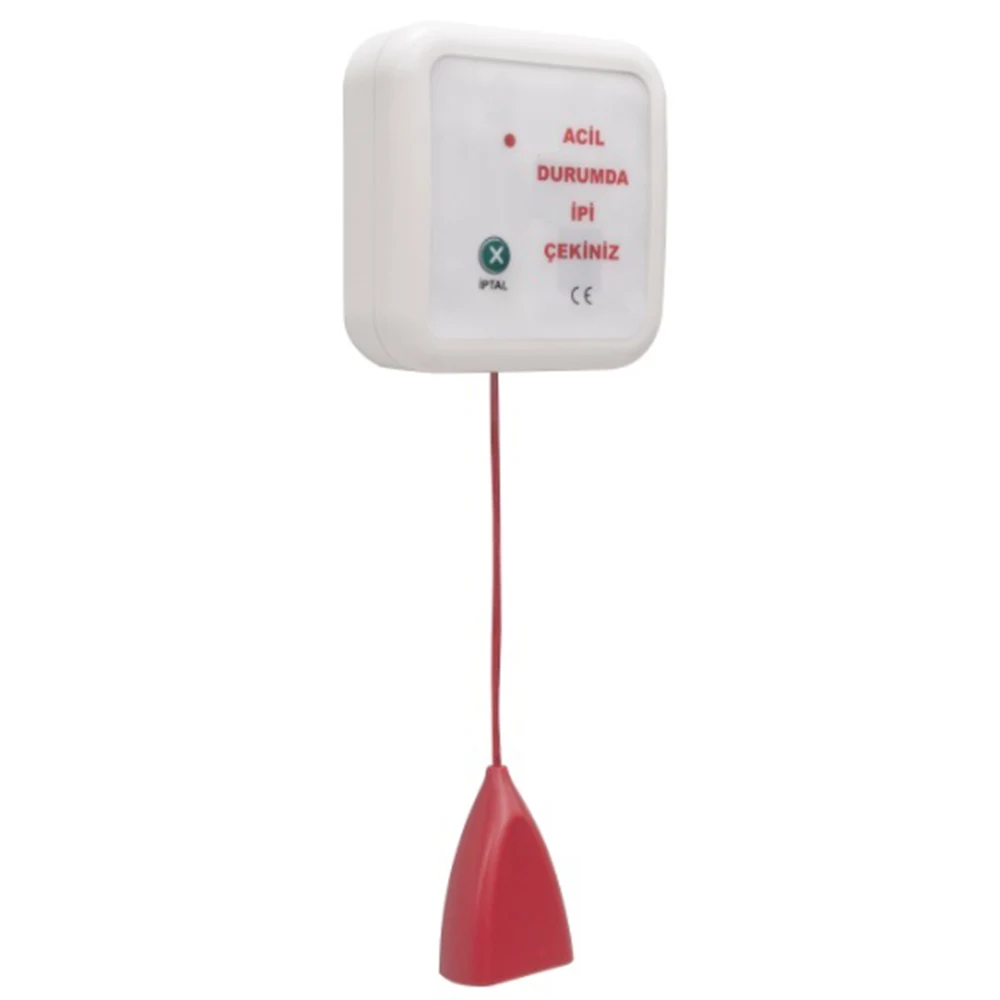
The handset TEC71.03 is an ergonomic pear push with a locked RJ11 socket, a 1.40 metre spiral cable and wall mounting equipment, so it can be clipped within reach and does not fall to the floor. Bathrooms and WCs use a cord rather than a button, because a patient who has fallen must be able to reach the call from the floor. The TEC71.05 WC cord button is humidity-resistant ABS with the emergency instruction text and Grade Braille beneath it, and five years of battery life.
- Bed call button with integral reset and handset socket
- Handset on a spiral cable with a wall mounting clip
- WC and bathroom cord button reaching to floor level
- Emergency text with Braille on the bathroom call point
Corridor lamps, door lamps and displays
The over door warning lamp is what lets a nurse walking a corridor find the calling room without looking at a screen. The Tecnomed TEC71.06 lamp uses RGB LEDs with several colour combinations: red shown until the call ends, yellow for calls from WCs and bathrooms, blue as a functional indication for other defined situations, and optionally green after a call is cancelled or with an added reset button at the door.
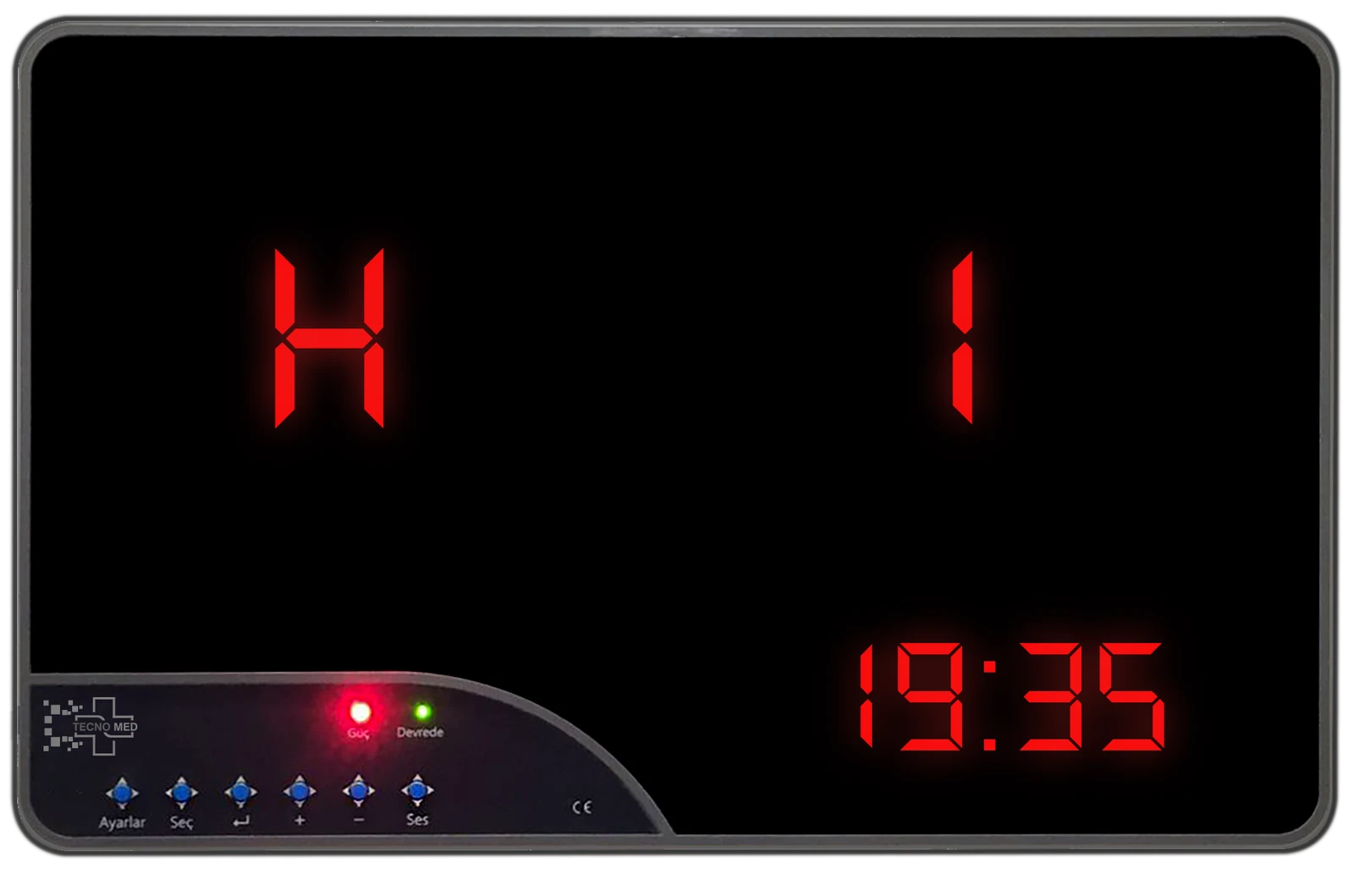
The display screen is the ward overview. The Tecnomed nurse call display screen TEC71.01 is an ABS panel measuring 400 by 250 by 30 mm that handles up to 200 call buttons, shows floor, room and bed numbers in detail alongside a digital clock, announces incoming calls with sound and light, and can show six call indicators at the same time. Normal and emergency calls use different ringtones so urgency is audible.
Central station, escalation and reset rules
The nursing station display is the primary annunciation point, and in larger wards several screens are used so no nurse is more than a few metres from one. Escalation is the rule set that decides what happens when a call is not answered: a second display, a louder tone, a different colour or a handover to another team.
Write the escalation and reset rules as a ward policy before the system is configured, not after. Decide how long a call may wait before it escalates, who receives an escalated call, whether bathroom calls escalate faster than bed calls, and whether a green light is held after cancellation as reassurance that the call was seen. The Tecnomed system supports region-specific letters and codes on the display screen so wards, floors and bathrooms can be distinguished at a glance.
Wired and wireless signal paths
Traditional systems carry calls over dedicated cabling from each call point back to a room controller and on to the nursing station. Wireless systems transmit the call by radio to a receiver instead, removing the cabling at the bedside entirely. Both architectures produce the same call chain; only the transmission layer between the call point and the ward differs.
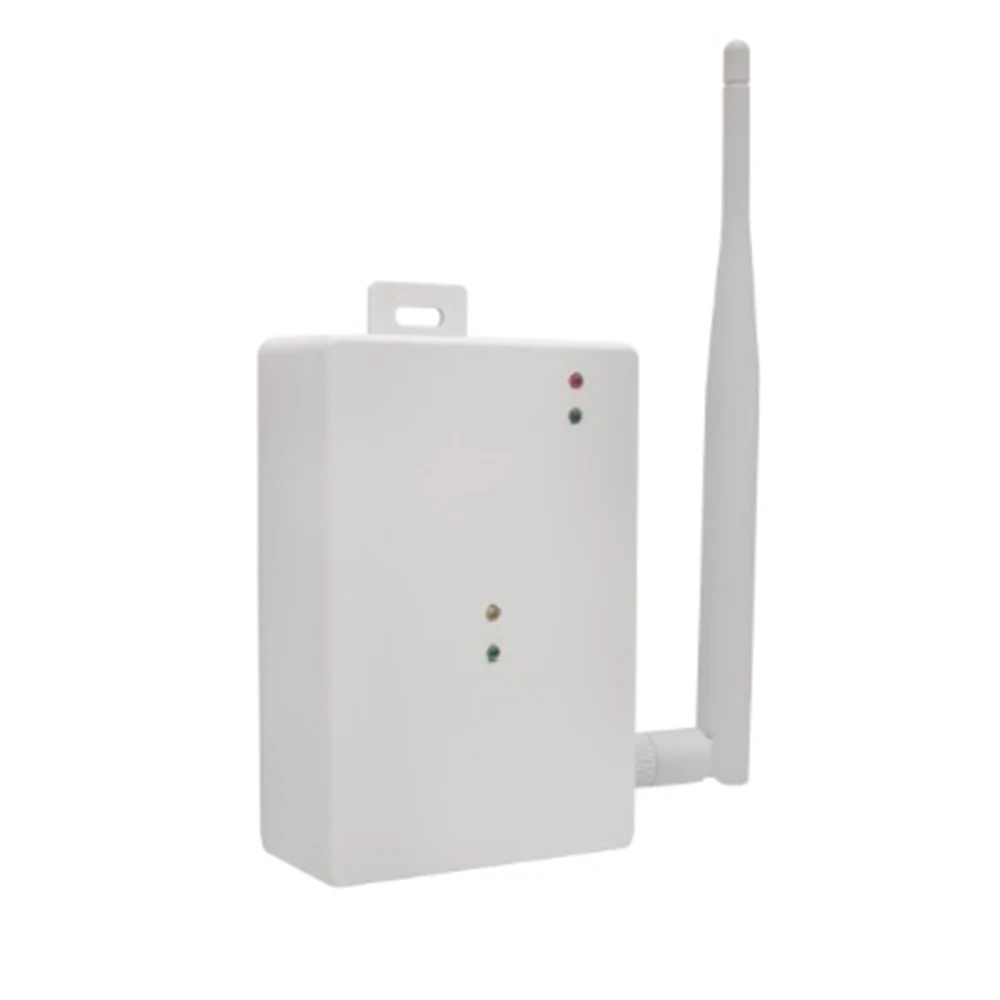
The Tecnomed system is wireless and needs no call wiring at the bedside. Range is extended by the signal transmitter unit TEC71.04, which has an external dipole antenna and a data light showing received calls, designed to give coverage in high-rise buildings and along long corridors. Additional transmitter units can be added where the building layout demands it, which is what makes the system practical for retrofit into an occupied hospital.
Reporting, logging and response-time data
A nurse call system that records nothing tells you nothing. Call logging turns the system into a management tool: it shows how many calls each ward receives, at what times, from which rooms, and how long they waited. That data supports staffing decisions far better than anecdote, and it is frequently requested during accreditation.
The Tecnomed call recording unit TEC71.07 records every call, determines the time of nurse intervention, and allows calls to be defined by region such as bathroom, WC, patient room or a specific floor. It connects to a computer by USB and the software prints reports for monthly, weekly, daily or custom date ranges, which covers both routine review and one-off investigations.
Typical room-by-room layout
A workable layout follows the patient rather than the architecture. Every position where a patient may be alone and unable to move needs a call point within reach from that position, including from the floor in wet areas, and every staff working position needs to be able to see or hear the annunciation when a call is raised.
Walk the layout with a ward sister before it is fixed, sitting on the bed and standing in the shower to check that each call point is genuinely reachable. Drawings routinely place a call point on the wrong side of a bed or behind a door that opens across it, and both errors are trivial to correct on paper and irritating to correct afterwards.
- Each bed: a call button within reach from the bed, with a handset where preferred
- Each bathroom, WC and shower position: a cord button reaching to floor level
- Room door: an over door warning lamp visible along the corridor
- Nursing station: a display screen showing floor, room and bed
- Treatment and day rooms: at least one call point per occupied position
Frequently asked questions
Where must a nurse call be resettable?
At the point where the call was raised. Resetting from the nursing station would record an answered call that nobody attended. Tecnomed call buttons reset at the button, and the WC cord button starts a call by pulling the cord and ends it with the button in the room, so the reset evidences attendance.
What do the different over door lamp colours mean?
On the Tecnomed TEC71.06 lamp, red is shown until the call ends, yellow indicates calls from WCs and bathrooms, blue is a functional indication for other defined situations, and green can be held after cancellation or used with an added reset button. Colours are configured to the ward protocol.
How many call points can one display screen handle?
The Tecnomed nurse call display screen TEC71.01 supports up to 200 call buttons and shows six call indicators simultaneously, with floor, room and bed numbers displayed in detail. Larger wards typically use several screens so that staff are always close to an annunciation point.
Can the system report on response times?
Yes. The TEC71.07 call recording unit logs every call, determines the time of nurse intervention and allows calls to be grouped by region such as bathroom, WC or patient room. Reports can be produced monthly, weekly, daily or over a custom date range and printed for audit purposes.